If you manage your own website content and someone just mentioned that “WordPress 7 is out,” you might be wondering whether to feel excited, nervous, or just confused. Totally understandable. Software updates have a way of making everything feel uncertain – especially when you’ve finally got the hang of how things work.
Here’s the good news: WordPress 7 is a genuinely positive update, and most of the changes are designed to make your life easier. We’ve gone through the release notes so you don’t have to, and this post walks you through what’s actually changed, what it means for you day-to-day, and what (if anything) you need to do.
Make yourself a coffee. Let’s walk through it together.
First: What Does “WordPress 7” Actually Mean?
WordPress is the software that powers your website behind the scenes – it’s what you log into when you want to add a new blog post, update a page, or upload a photo. It’s used by over 40% of all websites on the internet, which makes it one of the most popular pieces of software on the planet.
Every so often, the team behind WordPress releases a major update – and jumping from version 6 to version 7 is a big milestone. Think of it like upgrading your phone’s operating system from iOS 16 to iOS 17. The core experience is the same, but things are a bit smarter, faster, and cleaner.
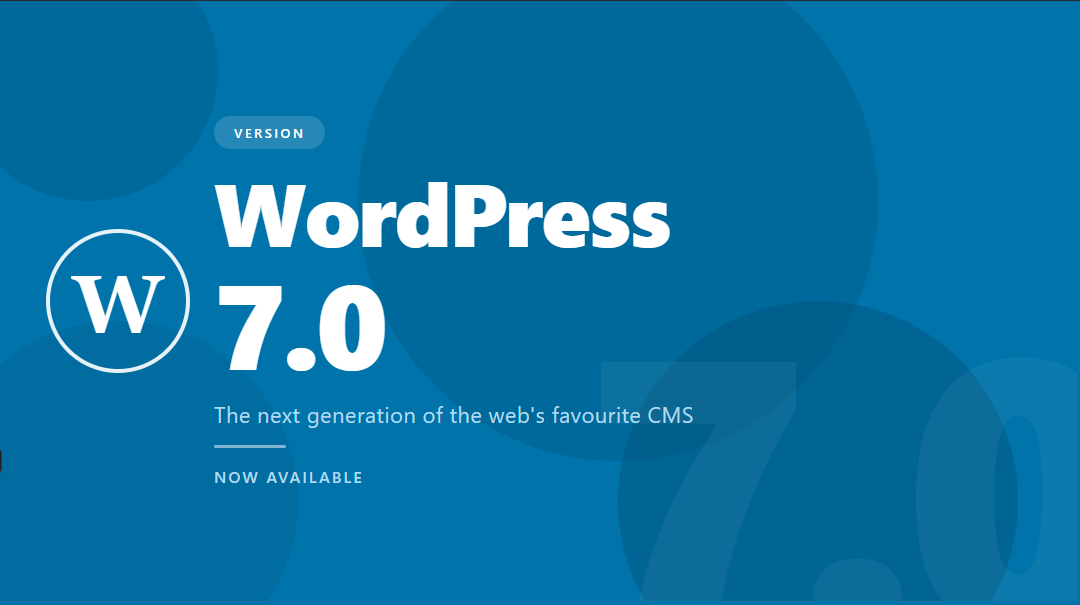
WordPress 7.0 officially launched on 20 May 2026, and it brings some of the biggest changes the platform has seen in years. Here’s what matters for you.
What’s New in WordPress 7?
1. The Dashboard Has a Fresh Look
The first thing you’ll notice when you log in is that the WordPress admin area looks a bit different. There’s a new default colour scheme called “Modern” – it’s cleaner and easier on the eyes. Don’t worry, nothing has disappeared. All the same menus and options are still there; they just look a bit sharper.
There are also smoother transitions as you move between screens – instead of the page jumping, it now slides more gracefully. It’s a small thing, but it makes the whole experience feel more polished.
What it means for you: Your first login after the update might prompt a “wait, did something change?” moment. It will feel familiar within a minute or two. Your content is all still there, right where you left it.
2. The Command Palette – A Handy New Shortcut
WordPress 7 adds a new “Command Palette” button in the top bar of your admin area. Think of it like a search bar for your own website’s backend. Instead of clicking through multiple menus to find something, you can just open the Command Palette, type what you’re looking for – like “add new post” or “media library” – and jump straight there.
What it means for you: This is entirely optional to use, but once you try it, you’ll probably love it. It’s a huge time saver if you’re regularly switching between different parts of your site. You can keep using the regular menus exactly as before – this is just a handy extra.
3. Your Photo Galleries Work Like Slideshows Now
This is one that clients tend to get excited about. If you’ve ever added a Gallery block to a page or post – that grid of photos people can click to enlarge – there’s a big improvement in how it works.
Previously, when a visitor clicked on one photo to view it full-size, they had to close it and then click on the next one. In WordPress 7, the gallery now works like a proper slideshow. Visitors can use on-screen arrows (or their keyboard) to move through your photos without closing and reopening each one. It feels much more polished and professional.
What it means for you: If you already have gallery blocks on your site, this improvement happens automatically. Your visitors will have a better experience looking through your images without you needing to change a thing.
4. Show or Hide Things Based on Screen Size – Without Any Coding
Here’s one that’s been on a lot of people’s wish lists. In WordPress 7, you can now choose to show or hide any block (a section of text, an image, a button, etc.) depending on whether your visitor is on a phone, a tablet, or a desktop computer.
For example: maybe you have a large banner image that looks great on desktop but feels cramped on mobile. You could show a wider version on desktop and a taller, portrait-style version on phones – without asking your web developer to write a single line of code.
What it means for you: You have more control over how your site looks on different devices, right from the editor. This is totally optional – nothing changes unless you decide to use it – but it’s a genuinely powerful tool that used to require developer help.
5. The Grid Block Just Got Smarter
If you’ve used the Grid block to lay out content in columns (say, three service tiles side by side), you’ll appreciate this update. Previously, you had to make a choice: either set a fixed number of columns, OR let WordPress automatically decide the minimum column width. It was one or the other.
In WordPress 7, you can combine both settings. That means your grid layout will look great on a wide desktop screen AND automatically stack neatly on a phone screen, without you having to fuss with it.
What it means for you: If you use grid layouts on your site, they’ll likely look better on mobile automatically. New grid layouts you build will have more flexibility right out of the box.
6. WordPress Now Has Built-In AI Tools
This is probably the most talked-about feature of WordPress 7, and we want to explain it clearly so there’s no mystery around it.
WordPress 7 includes a native connection layer that lets you plug in an AI model – like ChatGPT or similar – directly into your WordPress editor. Once connected, the AI can help you with things like:
- Adjusting the tone of a paragraph (make it more formal, more casual, shorter, etc.)
- Summarising a long piece of content
- Helping generate a starting point for a new section
This is not AI “taking over” your website or publishing things automatically. It’s more like having a writing assistant on standby while you’re working in the editor. You’re always in control – it only does what you ask it to do.
What it means for you: You don’t need to set this up right away. It’s an optional feature, and nothing about your current editing experience changes unless you actively choose to connect an AI tool. If you’re curious, get in touch with us and we can walk you through it.
7. Content Lists Are More Interactive
Behind the scenes, WordPress has upgraded the way it displays lists of content – like your list of posts, pages, or media files. The new system means you can now filter, sort, and search through your content much more quickly, with instant results rather than waiting for a full page reload each time.
What it means for you: Managing a large number of posts or pages just got noticeably faster. Searching for an old piece of content, or filtering posts by category, will feel much more responsive.
What About Things That Were Promised But Didn’t Make It?
You might have heard that WordPress 7 was going to include “real-time collaboration” – the ability for two people to edit the same page at the same time, like Google Docs. This feature was originally planned for this release but has been pulled while the developers continue working on it.
It’s not cancelled, just not ready. The team decided it’s better to release it properly than to ship something that could cause problems with your content. That’s a responsible call, and we expect it to arrive in a future update.
Why Does Keeping WordPress Updated Actually Matter?
Security Is the Biggest Reason
Outdated software is one of the most common ways websites get hacked. When a vulnerability is discovered in an older version of WordPress, it becomes public knowledge fairly quickly – and that’s when the bad actors start looking for sites still running that version. Keeping WordPress updated is a bit like keeping your front door locked. You wouldn’t leave it open; don’t leave your website open either.
Things Break When You Fall Too Far Behind
The themes and plugins that make your website look and function the way it does are regularly updated to work with the latest version of WordPress. If your core WordPress version falls too far behind, your plugins and theme may start behaving oddly – or stop working altogether. Staying current avoids this kind of compounding problem.
Your Site Will Actually Run Faster
Each major WordPress release includes performance improvements. Faster loading times aren’t just nice to have – they affect how Google ranks your site in search results. A site that loads quickly is significantly more likely to rank well and keep visitors engaged.
You Stay Supported
If something goes wrong with a website running a very old version of WordPress, it’s much harder to get help – even from us. The tools, documentation, and community support all target recent versions. Staying reasonably current means that if something ever does go wrong, it’s much easier to fix.
Think of it this way: you don’t need to understand everything under the hood of your car to know that skipping servicing for five years is a bad idea. The same principle applies to your website.
What Should You Do Now?
If Net Solutions manages your website maintenance:
Great news – you don’t need to do anything. We’ll handle the update, run our checks, and drop you a note If anything needs your attention.
If you manage your own updates:
Before updating, make sure you have a recent backup in place (your hosting provider may do this automatically – worth checking). Then update WordPress core from your Dashboard > Updates screen. After updating, do a quick check:
- Log in and make sure your dashboard looks normal
- Open a recent post or page in the editor – does it open and look correct?
- View your homepage on both a desktop browser and your phone
- Click through a few pages to make sure nothing looks out of place
If anything seems off, don’t panic – just get in touch with us and we’ll sort it out quickly.
A Final Word
Change in software can feel uncomfortable, especially when you’ve put in the time to learn how things work. But WordPress 7 is genuinely one of the more user-friendly major releases in recent memory. The changes are designed to give you more control, a cleaner experience, and a faster, more secure site – without turning your world upside down.
As always, the team at Net Solutions is here to help. If you’ve got questions about anything in this post, or you’d just like us to take a look at your site after the update, reach out – we’re always happy to hear from you.
Need help with your WordPress website? Contact the Net Solutions team – we’re based in Australia and work with clients of all sizes, from small business owners to busy teams managing large content libraries.